Growth film — from zero to today
Make a growth film →You have a folder of photos of the same child across the years — the newborn, kindergarten, first grade, the teenager. Usually they become a slideshow: a photo, another photo, another photo. A growth film on MorphMovie is something else entirely: one person walking toward the camera for the whole film, growing as they walk — from the youngest age you have all the way to today, without a single cut in the middle.
The whole process, on one real film
This is not a description — it is a film made on the site. Sixteen photos from a family album, age 0 to age 17, and the film that came out of them. Here are the three stages, in the order they happened.
1. What was uploaded — 16 photos, each with its age
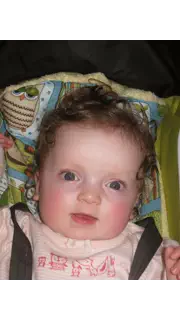 0
0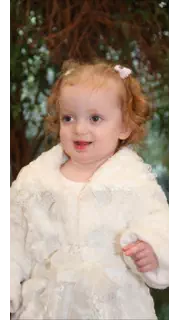 1
1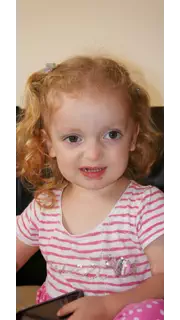 2
2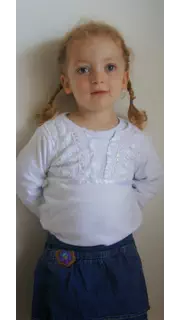 3
3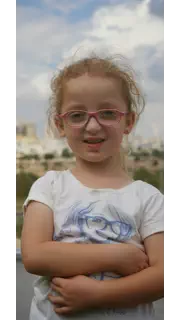 4
4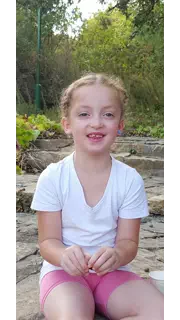 5
5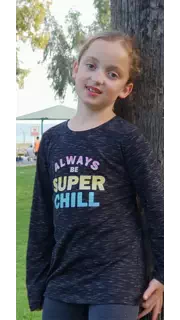 6
6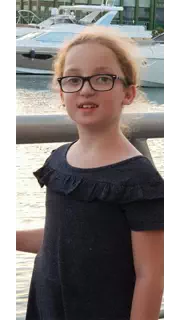 7
7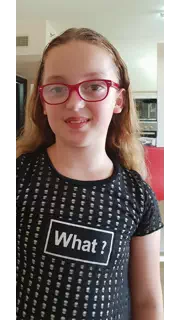 8
8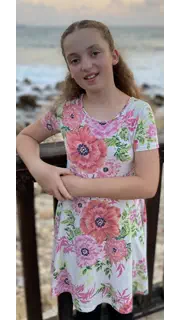 9
9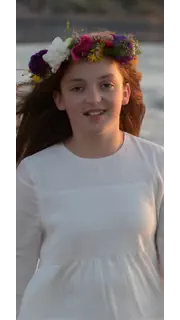 11
11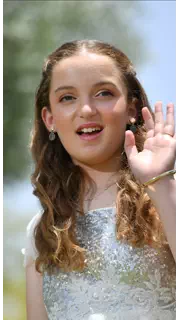 12
12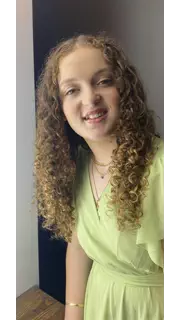 13
13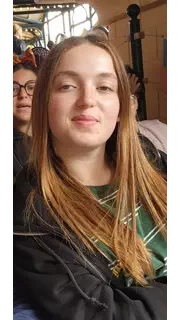 15
15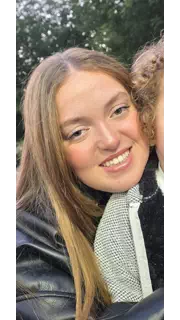 16
16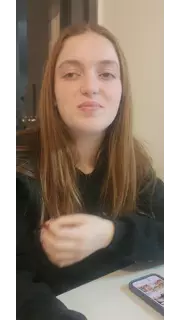 17
17
Ordinary phone and album photos. Some were shot landscape, one is a screenshot, one is from age zero. This is what every family has.
2. What we created — the same girl at every age, on the same avenue
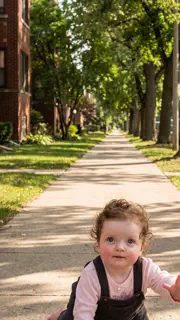 0
0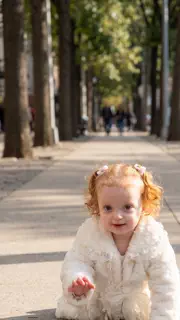 1
1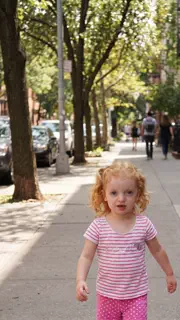 2
2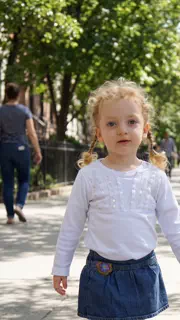 3
3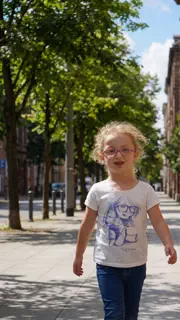 4
4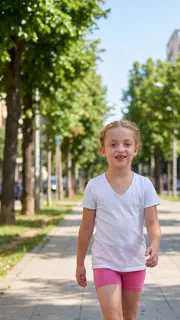 5
5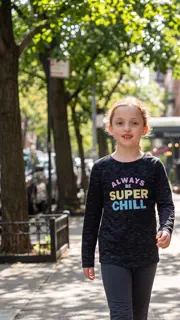 6
6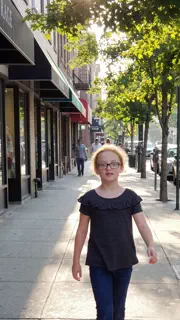 7
7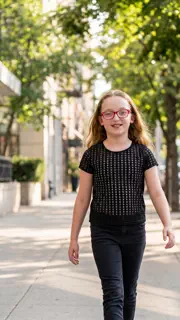 8
8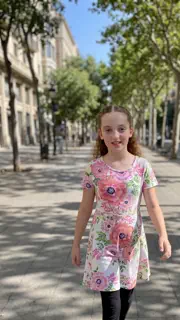 9
9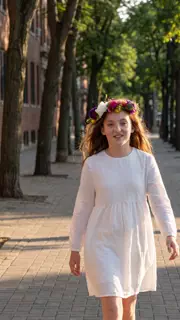 11
11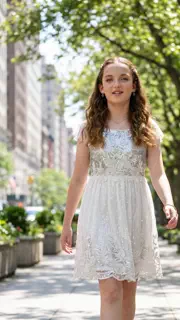 12
12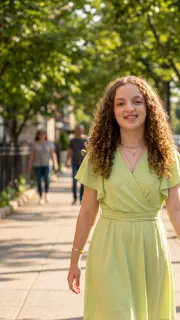 13
13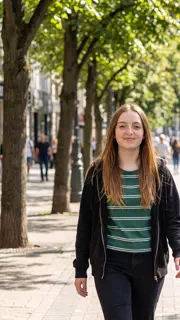 15
15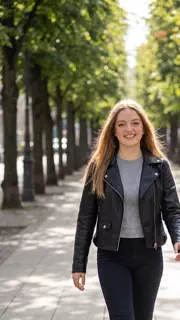 16
16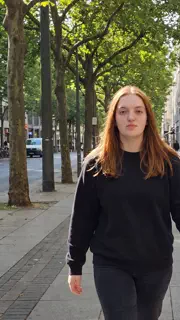 17
17
Look at the clothes. At every age they are the same as in the photo above it — because each picture here was built from its own photo, not from a single base image. That is also what makes the pairing visible at a glance.
3. And the film
What actually happens here
You upload one photo from each period of life and write how old you are in it. From each of those photos the system creates a new picture: the same person, in the same everyday clothes they wear in the original, full body, walking toward the camera — inside one place that you choose. Then the transitions are generated: between every two consecutive ages a video clip is created in which the person keeps walking and grows gradually from one age into the next, while the world around them flows backwards.
The result feels like one long shot of a whole life, not a slideshow with effects between the pictures.
What you need to prepare
- Photos of the same person at different ages — ordinary album photos, not screenshots and not posters. The system checks this before you continue.
- At least four different ages. There is no maximum; up to 120 photos in one film.
- The age of each photo — picked from a list (0–120). It is required, and it is what orders the film and what decides how big you are in the frame at each stage.
- A face you can see. The clearer and larger the face in the photo, the better the likeness in the picture that gets created.
Two photos from the same age? That is allowed. They appear one after the other and you drag to set which comes first — and both are full stations in the film, meaning each gets its own AI picture and its own transition, and is priced accordingly. The "at least four" is counted over different ages — four photos taken at 30 are not a growth film. If several people appear in a photo, tap yourself so we know who the star is; a photo with one face asks nothing.
Where the walk happens — your choice
The whole film takes place in one continuous place, and you choose it. These are the places available today:
- A New York avenue
- Rothschild Boulevard, Tel Aviv
- A Jerusalem stone lane
- A path between kibbutz houses
- A beach at sunset
- A boardwalk over the dunes
- The Sea of Galilee promenade
- A dirt road between fields
- A Galilee vineyard and olive grove
- A green forest path
- A path through fallen leaves
- A Judaean desert canyon
- Red desert sand in the Negev
The place you pick does not change the price. The background is a description in words inside the request we send the model — not a picture and not an extra clip — so a film in the Negev sand costs exactly what the same film on the avenue costs.
And there is one more option: "the background from my own photos", where the walk happens in the surroundings of the photos you uploaded.
The app shows a warning beside that option, and it is a fair one: if the photos were taken indoors or close up, there is no path receding into the distance to work with — and the result is less predictable.
How it works, step by step
- You upload a photo per age and enter the age. The screen sorts them by age immediately, so you see the order the film will be made in.
- You choose the place the walk happens in, and, if you want, switch on the age number on screen.
- You see a free preview — before any payment we create your picture at the youngest age and the transition into it from the real photo.
- You pay. The full price is shown on screen before payment.
- The AI pictures are created — one per photo you uploaded, youngest age first. With each one we also send a close-up of your face from that same photo, with an explicit instruction not to change it, not to beautify it and not to age it.
- You approve the pictures. Each one is shown to you: you can ask for it to be created again, delete an age, or add an age you remembered.
- The transitions are generated, one after another. Each clip begins from the real last frame of the clip before it — that is what keeps the film from "jumping" between ages.
- You choose music, narration and captions — and everything is joined into a single file.
The baby crawls, then stands up
At ages 0 and 1 the figure does not walk but crawls on hands and knees toward the camera — even if the photo you uploaded is of a baby lying down. Getting onto their feet happens inside the ordinary transition to the next age: they stop crawling, rise and keep walking, in one continuous motion. It is not an extra clip and it does not cost extra.
Why you grow instead of just changing
Every age has an exact height inside the frame, and it rises gradually with age and stops at 18. From 18 upward the height is fixed and what keeps changing is the face, the hair and the look. Without that steering the model would render each age at a random size, and the film would jump in scale between clips instead of growing.
What else you can choose
- The age number on screen — the number itself in the corner of each clip: 3, 7, and so on. Off by default; you switch it on from the upload screen.
- Music — your own MP3 file, or music generated automatically for the mood you pick.
- Narration — record your own voice, or write text and have the system read it aloud in a natural voice.
- Your own captions — in addition to (or instead of) the age numbers.
What you get
One MP4 file, portrait (9:16), in Full HD — ready to send on WhatsApp, to project at a party or to post. The download link is valid for seven days, after which the material is deleted from our servers.
Worth saying plainly: the film is made by AI. We do a great deal to hold on to your identity — a close-up of the face is sent with every picture, together with an explicit instruction not to alter it — which is also why there is an approval screen where you go over every picture before a clip is made from it. A picture that is not close enough: ask for it again.
Tips for a good result
- A large, clear face beats everything else. A photo where the face is small, blurred or hidden will give a weaker likeness.
- Spread the ages across the period — 0, 4, 12, 30 tells a story; 28, 29, 30, 31 barely changes on screen.
- The clothes in the photo are the clothes in the film. A photo with an outfit you love gives a clip you love.
- A photo of the person alone saves a decision. Several people in the frame? Just tap yourself.
- A screenshot is not a photo. A picture captured from a screen, an advert or a page of text will be rejected by the check — upload the original file.
How much does it cost?
There is no subscription. You pay once per film, and the price is built from the number of photos you uploaded — each photo gets its own AI picture and its own transition, including when two photos share an age. The full amount is shown on screen before payment, with no hidden fees, and after the free preview you have already seen. See the price list →
Got the photos? → Let's build the walk
Frequently asked questions
How many photos does a growth film need?
At least four different ages. There is no maximum — up to 120 photos in one film. Each photo adds about five seconds and is priced separately, so nine photos make a film of roughly fifty seconds.
Do I have to enter an age for every photo?
Yes. The age is picked from a list (0 to 120) and it is what orders the film and what decides how tall you are in the frame at each stage. Without it you cannot continue.
Can I use several photos from the same age?
Yes. They appear one after the other, and you drag to decide which comes first. The "at least four" is counted over different ages, not over the number of photos.
I have no photo from age zero. Is that a problem?
No. The film starts at the youngest age you do have a photo of. If that age is 0 or 1, the person starts out crawling and rises onto their feet during the transition to the next age.
Can I see anything before I pay?
Yes. Before any payment we create, free of charge, your picture at the youngest age and the transition into it from the real photo you uploaded.
Is the film portrait or landscape?
Portrait only (9:16), like a phone video. That is the shape in which walking toward the camera works.
How long until the film is ready?
About three minutes per photo. It keeps running even if you close the window, and you can come back to it later.
What if one age doesn't look enough like me?
After payment all the age pictures are created first and you review them one by one. You can ask for any picture to be created again, and you can also delete an age or add one before the film itself is rendered.